Introduction
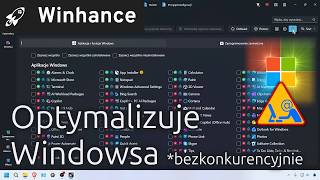
Winhance is a modern Windows system optimizer that acts as a graphical overlay for the registry, allowing you to remove unnecessary components and telemetry. The tool is an aesthetic alternative to the popular Win Util, offering a wide range of features from privacy management to software installation automation.
Key takeaways 4 / 6
The gist of the content in a few sentences
- The application should be downloaded exclusively from the official GitHub repository, avoiding the creators' private sites to minimize the risk of malware infection.
- Upon first launch, the program automatically forces the creation of a restore point, which is a critical safeguard against irreversible registry configuration errors.
- The interface marks the permanent removal of components (e.g., AI Manager) with a cloud icon, indicating that restoring them may require a full reinstallation of the operating system.
- The tool allows you to disable sticky keys and the narrator, and set CPU priority for gaming processes to improve desktop and gameplay responsiveness.
Show all 6 takeaways
- With a single click, users can block 88 settings, including Recall, WiFi Sense, and delivery optimization, which consumes internet bandwidth.
- The Builder module enables the generation of XML files for mass configuration of multiple computers, significantly speeding up the work of technicians and IT administrators.
Video chapters 26Click and the video will play from the selected moment
- 0:18Winhance as an alternative to Win Util
- 1:20Safe software download and installation
- 1:56Installation process and first launch
- 4:22First launch and interface configuration
- 5:46App management and system warnings
- 7:10App management and Winhance user interface
- 10:45App management and third-party software installation
- 11:06Quick PC setup for gamers and professionals
- 13:51Security warnings and service packs
- 15:13Configuration automation and service tools
- 17:11Privacy management and user control
- 19:30Winhance as a graphical overlay for the system registry
- 20:32Security and privacy in Windows configuration
- 21:58Privacy and developer mode in Windows
- 23:39Power management and gaming performance
- 25:05CPU and GPU performance optimization for games
- 27:20Update management and accessibility features
- 27:44Blocking data sharing on the local network
- 28:24System notification and sound optimization
- 30:45Taskbar and Start menu personalization
- 31:05Changing the app display layout
- 31:21Start menu and File Explorer personalization
- 34:55Installation automation and advanced configuration tools
- 39:04Winhance functionality and licensing controversies
- 41:02System performance and installation process
- 42:30Update issues and Windows alternatives
Summary
First 3 of 26 partsWinhance as an alternative to Win Util
Windows users often look for ways to improve usability by removing unnecessary components. While Win Util by Chris Titus is a recognized and versatile tool for this purpose, viewers have increasingly suggested checking out an app called Winhance. This project has been developed on GitHub by a group of eight people for over a year. The speaker emphasizes that using this type of software comes with full user responsibility, as it requires knowledge of the changes being made to the system.
Safe software download and installation
The safest source for obtaining the application is the official GitHub repository, where the latest version 26061 is available under the releases tab. The speaker strongly advises against downloading the installer from the creators' private sites due to increasing threats detected by AI and potential security gaps on such websites. Microsoft, as the owner of GitHub, maintains high data security standards, making the platform trustworthy for software projects.
Installation process and first launch
The tool's installation is standard and allows you to choose whether the program should be available to all users or only the current one. After accepting the license agreement and completing the process, the user can launch the application, which may require a longer wait for the interface to load on the first attempt. The program offers an aesthetic look and a default option to create a desktop icon, facilitating access to optimization features.
Read the full summary – for free
23 parts of text left, key takeaways, facts, questions and answers, action items – with the source minute for every passage. Plus search, collections and the AI assistant.
Keep reading for freeFree, in a minute. Have an account? Log in